 Luba
LubaLuba Guides
Rent receipt: what to include, plus a free template
Quick answer
- A rent receipt shows who paid and who received the money, the amount, the property, the rent period it covers, the date and how it was paid. The person who received the money signs it.
- Give one every time you’re paid, including partial payments and the security deposit, and keep a copy. It’s your proof of what was paid and what’s still owed.
- In some states it’s required. In New York, for example, landlords must give a written receipt when rent is paid in cash or by anything other than a personal check.
- You can fill out the free template on this page by hand or in Word, or make receipts on your phone with an app like Luba, which numbers each one and sends it as a PDF.
Need one now? Download the template.
We make Luba, the app in the “With Luba” boxes. The template and everything else on this page work just as well if you write receipts by hand or on a computer.
What you need: The tenant’s name and the property address · The amount and the period it covers · The printed template, Word, or an Android phone
-
What a rent receipt should include
There’s no official format. What matters is that anyone reading it can tell who paid, how much and what for:
Receipt number and date: 0001, 0002… When a tenant says “I already paid for that month,” you can find it in seconds.
Who paid: the tenant’s full name.
Amount: “$750.00.” If it covers more than rent, like a late fee or utilities, list each one.
Property: the street address and unit, like “Room 1, 418 Elm St.”
Rent period: “October 5 to November 4, 2026.” It’s the detail people forget most, and the one that prevents the most arguments.
How it was paid: cash, check (with the check number), money order, or an app like Zelle or Venmo.
Balance due: “Paid $500.00. Balance due: $250.00.”
Signature and name of the person who received the money, plus their title if they’re a manager or agent.
NoteRules vary by state. In New York, for example, landlords must give a written receipt for rent paid in cash or by anything other than a personal check, showing the date, the amount, the property, the period covered and the name and title of whoever received it (Real Property Law § 235-e). Check your state’s rules or ask a local attorney.
-
A filled-out example
Here’s a receipt for one month’s rent on a room, paid in cash:
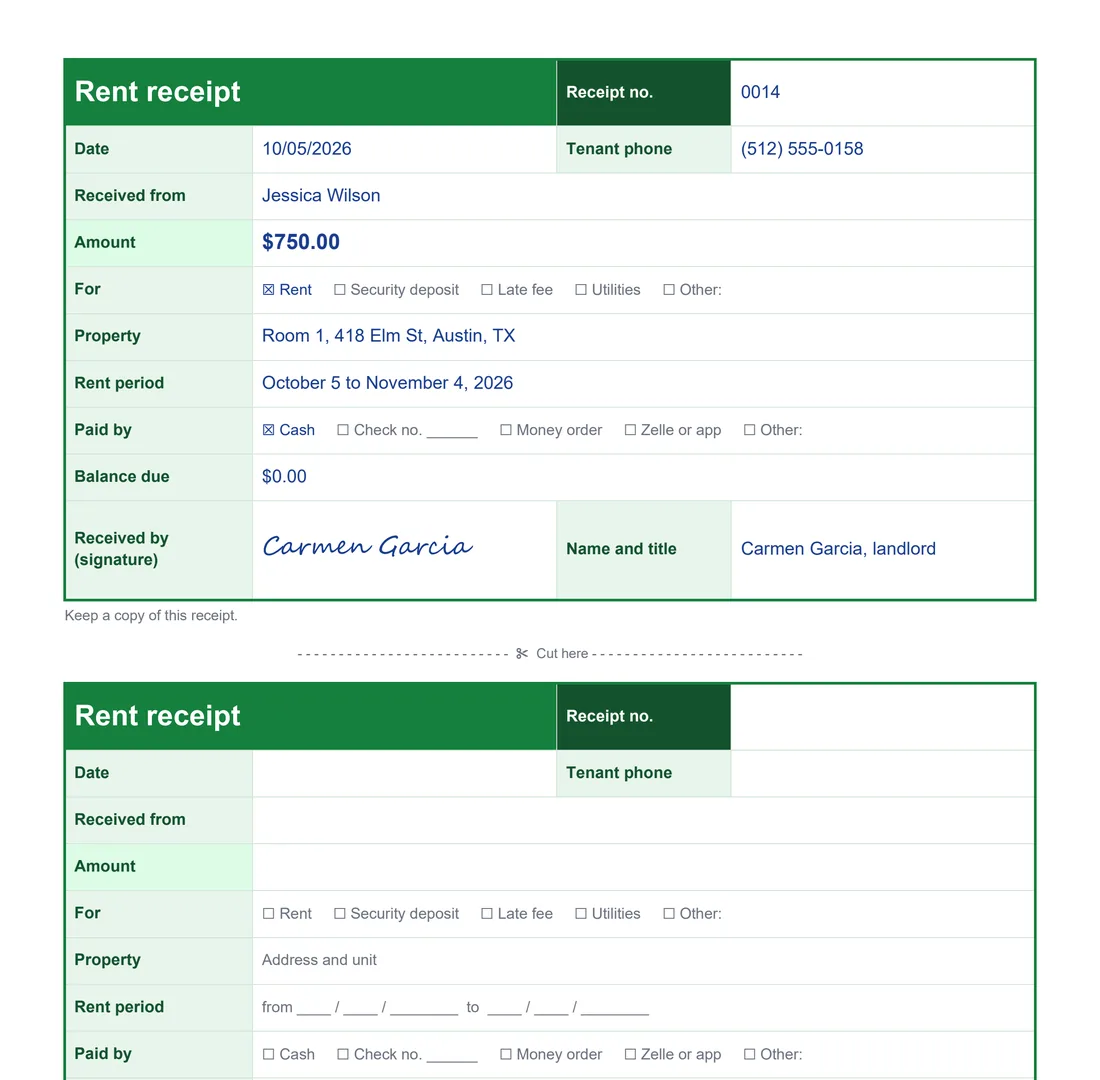
A filled-out receipt on top and a blank one below. It’s the same template you can download. Writing one by hand? Copy this and fill in the brackets:
“Received from [tenant’s name] the sum of [amount] for rent at [address and unit] for the period [start date] to [end date]. Paid by [cash, check no., money order or app]. Balance due: [amount or $0]. [Date].” Then sign it and print your name below.
With the example’s details: “Received from Jessica Wilson the sum of $750.00 for rent at Room 1, 418 Elm St, Austin, TX, for the period October 5 to November 4, 2026. Paid in cash. Balance due: $0. October 5, 2026.”
-
Download the free template
The template has two receipts on a letter-size page, so you can cut it in half. No email or sign-up.
Download the Word template to fill it out on a computer: type in each box, then print it or save it as a PDF. It also opens in Google Docs.
Download the PDF to print and fill out by hand. Keep a few printed copies for rent day.
NoteFill in everything before you sign, and cross out any empty boxes. A signed receipt with blanks can be filled in later with something else.
-
Hand it over and keep a copy
Give a receipt every time you’re paid, including partial payments and the security deposit. Snap a photo before you hand it over: that’s your copy. If the tenant paid through an app, text or email the receipt.
File your copies by tenant and month. When someone says “I already paid that month,” you’ll find it in a minute, and they’ll help at tax time.
With LubaLuba makes the receipt when you log the money you received. Open the tenant’s lease from Today or Properties and tap Record a payment. Enter the Amount, pick the method under Paid with, and in Notes write the period it covers: that note prints on the receipt. Tap Save and the receipt is ready, with its own number. Tap it in the list, then Send to share it as a PDF by WhatsApp, email or text, or tap the printer button to print it on paper or on a thermal printer.
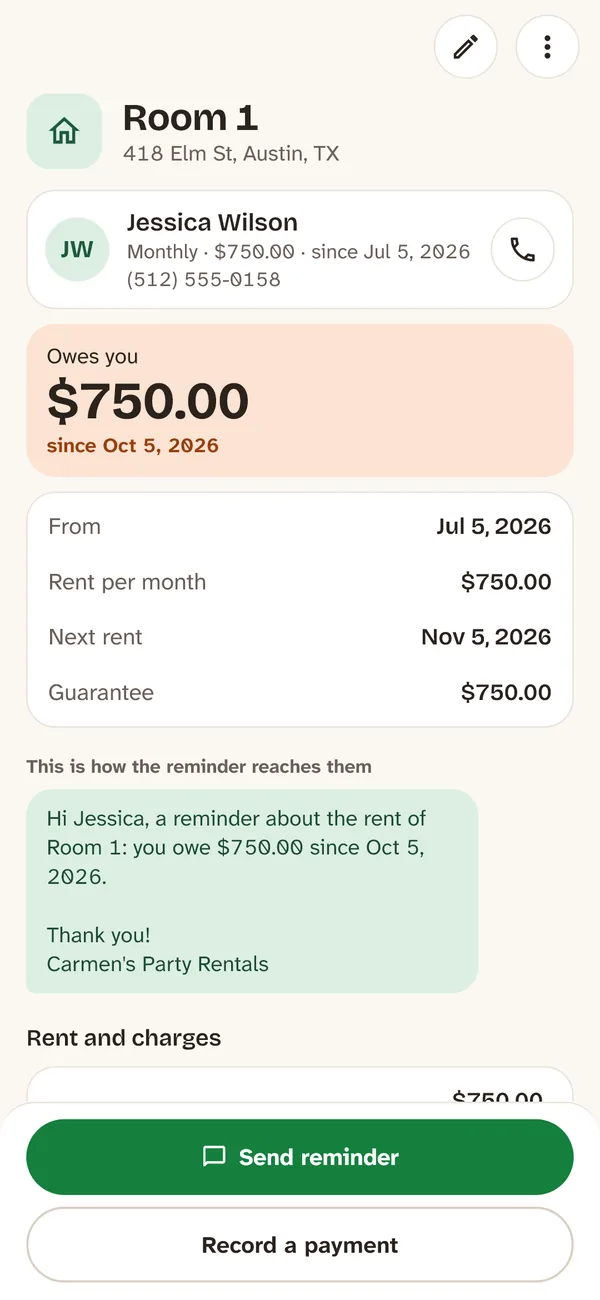
The lease shows who owes you and since when. 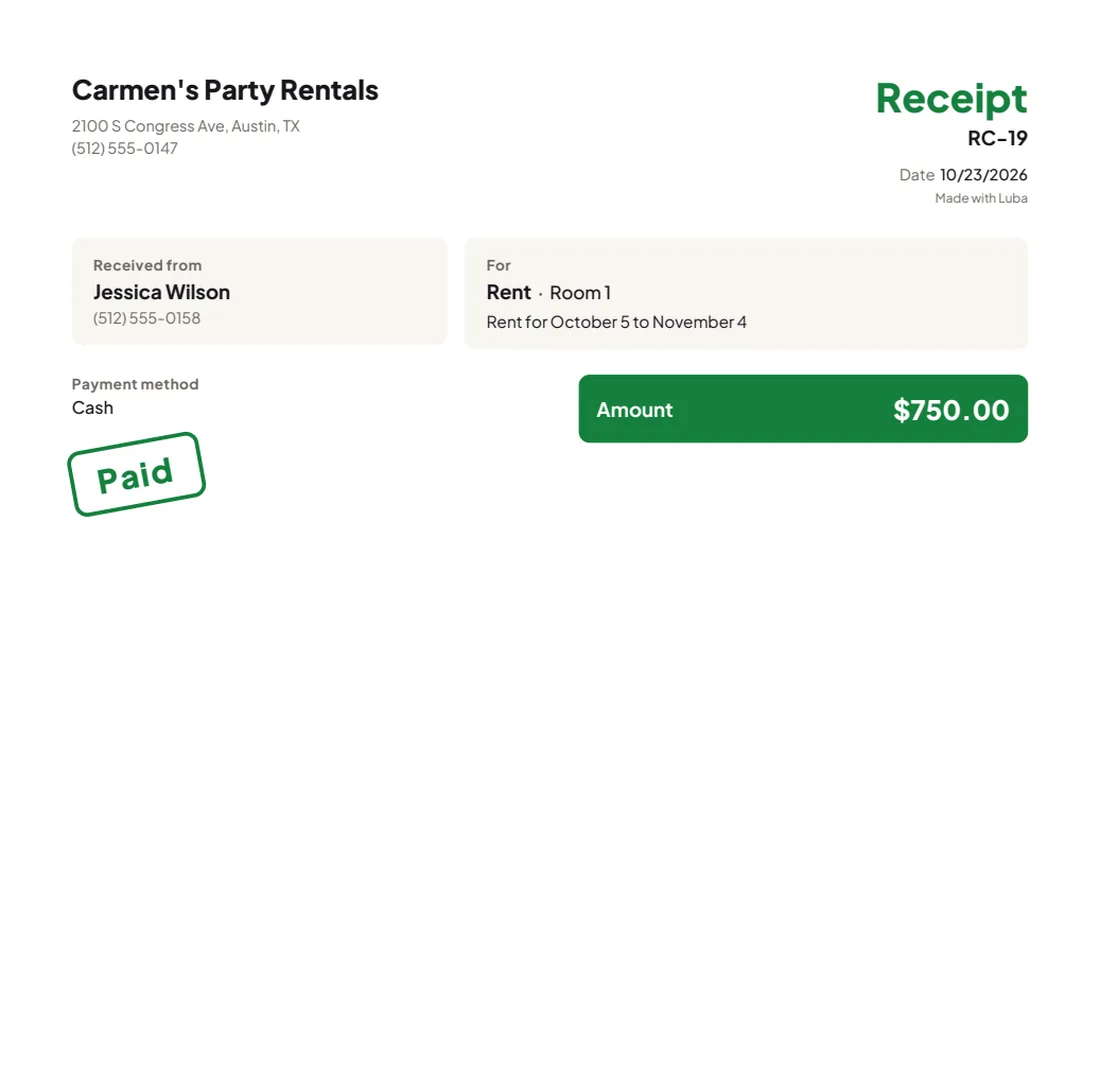
The PDF receipt, ready to send. 
-
Partial payments, deposits and proof of rent
Partial payment: write a receipt for what you got, note “partial payment of October rent,” and show the balance due. When they pay the rest, write another receipt.
Security deposit: give it its own receipt that says it’s a security deposit and for which property. When you return it, list anything you kept and why. Many states set deadlines and rules for deposits, so check yours.
Proof of rent: tenants sometimes need rent receipts to show what they pay for housing, for example when applying for benefits like SNAP. A clear receipt with the period and the address makes that easier.
Taxes: the rent you receive is income. Keep your copies and ask a tax professional how to report it.
With LubaIn Luba, the deposit goes in the same place: if the lease has one, tap Record a payment and choose Guarantee (the security deposit) under What you receive, and it gets its own receipt. If a tenant pays only part of the rent, the lease shows what’s still owed.
Common mistakes
Leaving out the rent period
“Received $750 for rent” doesn’t say which month. If there’s ever a dispute, no one can tell whether it was September or October.
Lumping charges together
“$850 for rent and fees” doesn’t show what was paid. List rent, late fees and utilities separately.
Signing with blanks
Fill in everything before you sign and cross out what you don’t use.
No receipt for partial payments or the deposit
Those are exactly the ones that end up in arguments. Write a receipt every time money changes hands.
Keeping no copy
If you hand over the only copy, you can’t prove anything. Take a photo before you hand it over.
Frequently asked questions
What should a rent receipt include?
The date and a receipt number, who paid, the amount, the property address, the rent period it covers, how it was paid, any balance due, and the signature and name of the person who received the money.
Do landlords have to give rent receipts?
It depends on the state. In New York, for example, landlords must give a written receipt for rent paid in cash or by anything other than a personal check. Even where it isn’t required, a receipt protects both sides.
Can I write a rent receipt by hand?
Yes. A signed note with the date, who paid, the amount, the property and the period works. The PDF template on this page has all the boxes.
Is a Zelle or Venmo payment enough proof of rent?
It shows that money was sent, but not what it was for or which month it covers. A receipt with the period and the property is clearer for both of you.
How do I write a receipt for a partial rent payment?
Write it for the amount you received, note that it’s a partial payment of that month’s rent, and show the balance due.
Is there an app to make rent receipts on my phone?
Yes. Luba, by RollanSoft, keeps your rentals in order from your phone. It’s free for 2 properties and 10 things to rent out, with no ads and no account, and it works offline. It makes numbered PDF receipts you can send by WhatsApp, email or text. Pro, a one-time purchase, adds your logo and color to receipts and unlimited properties.